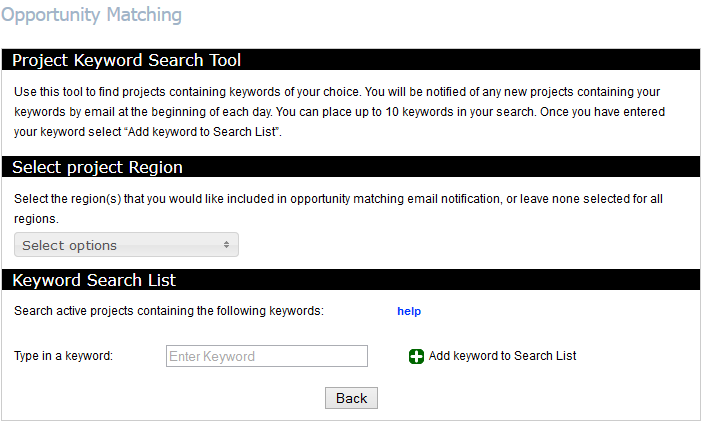
Opportunity Matching notifies you when a project contains keywords that pertain to your line of work (ie: painting). You can choose up to 10 keywords, the system then watches for them to appear in a project entry and sends you an automated email notifying you when a project meets your criteria.
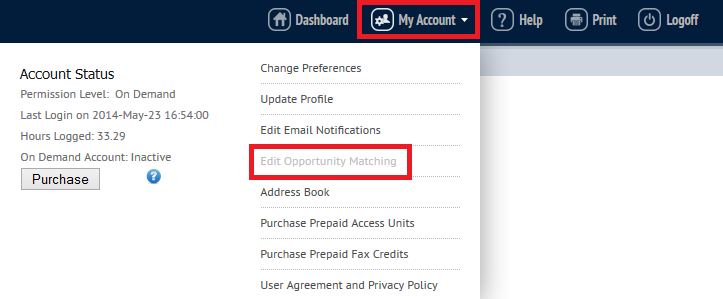
To set or modify your keywords, open the My Account menu in the top banner and click on the Edit Opportunity Matching link.
If you would like to receive notifications from specific Construction Associations, use the Select Project Regions menu to select them. If you do not select any regions, you will reveice notification for all regions.

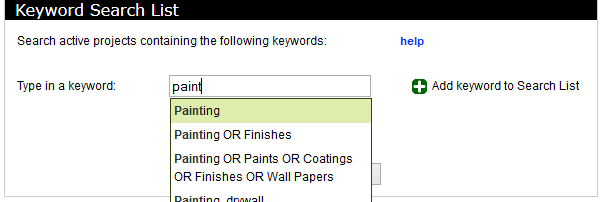
Enter your keywords individually, or separate multiple words with "or" then click Add keyword to Search List. As you are typing your word, a menu of suggested keywords will display. You may choose one of these, or continue to type your own.
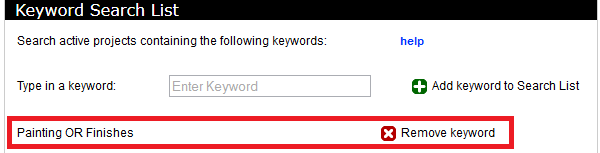
To remove keywords, click on Remove Keyword next to the keyword you wish to delete.
Once your keywords are set, you can come back to this page and modify them at any time.
Once your keywords are set, you will start receiving project notifications. As new projects are added to the planroom or new documents or information are added to existing projects, the system will scan the Project Information and posted documents for your words. If projects are found that match your words, you will be sent an email overnight with the list of projects.