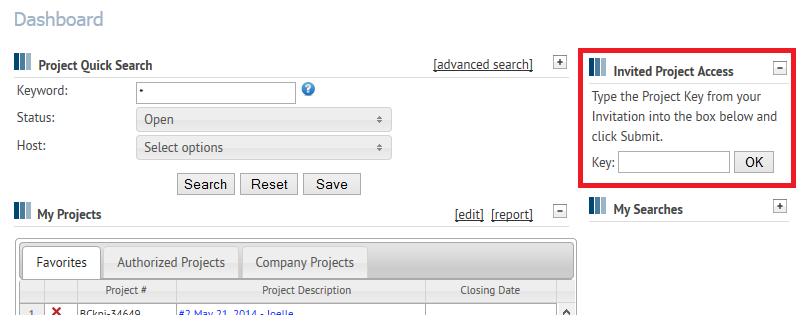
If you are invited to access a private project in the Planroom or an on demand project, you will most likely receive an email invitation with a project link included. This link will direct you to log into the site and then take you straight into the project file. If you receive a fax invitation, or the invitee opted to send you a Project Access Key instead of a link, you will use the Invited Project Access box on your Dashboard.
Enter the eight (8) character Project Access Key in the box provided and click OK. This will put a link to the project into your My Projects table. Clicking on that link will direct you to the Project Information page of the project.
NOTE: the Project Access Key is always eight (8) characters and always ALL-CAPS. You must enter the Project Access Key exactly as it is provided to you, it is case sensitive.