Send Invitation to Bid - Select Companies
The Communication Centre is where you will select companies to access your project, send
faxes and emails and track your users Bid Intentions. In your first few projects, you may not
have a database complete enough to use to send your invitations to bid, but you will be able to
send notifications to your users once the project is underway and track who is planning on
bidding your project.
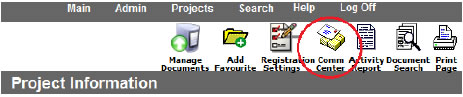
- Open the Communication Centre from inside the project you are working on. Click on
the Comm. Centre button in the top icon menu.
- The first tab is Select Companies. Here you have your entire company database on the
left side and you will move the invited companies to the right.
- Select the companies you would like to give access to your project. To select multiple at
once, use the Shift or Control key on your keyboard.
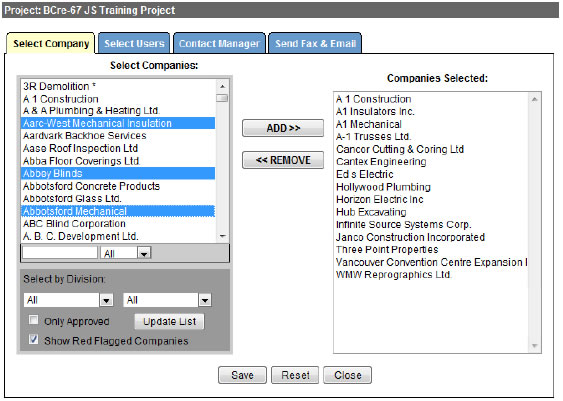
- When you have all the invited companies on the right hand side of the window, click
Save at the bottom and move to the Send Fax and Email tab.