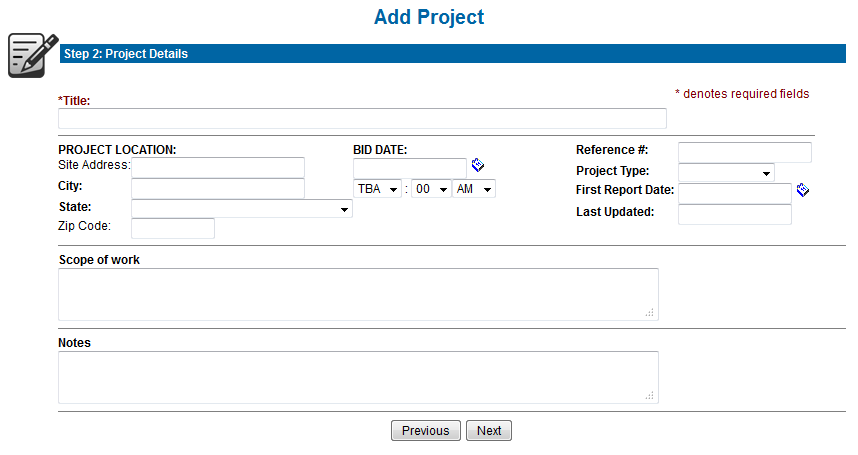
Step 2 is to provide as much project information as you have. All of the mandatory fields are highlighted in red. Any date fields require the following format: 2012-Jul-10. Using the calendar icon to choose a date will automatically format the information.
The image below provides an example of what the Project Details page may look like. Some information displayed may not be available, or there may be additional fields for more detailed project information.
If you selected to send a notification to a Partner Planroom in Step 1, the email notification will be sent as soon as you click Next to save the project in Step 2.
Next Step: Posting Documents